What Is Notion AI? Features, Benefits, & Usage Guide (2026)
Since artificial intelligence has become one of the most vital elements of productivity, it offers people the opportunity to type faster, process information, automate tasks, and collaborate. Notion AI is one of those workspaces assistants offering these capabilities in one tool for note-taking, project management, knowledge management, and artificial intelligence.
No matter what you are – student, content writer, freelance worker, or businessman – you can easily generate ideas, take notes, create content, manage projects, and automate processes using this software within your workspace.
In this article, we are going to discuss Notion AI – its features, benefits, pricing, and how to get the most out of this software.
What Is Notion AI?
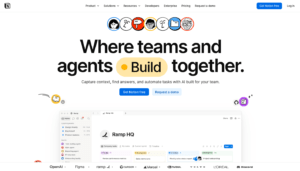
Notion AI is an artificial intelligence assistant that works natively as a feature of Notion – the famous productivity and collaboration platform. Unlike with AI applications where people would use various AI tools depending on their requirements, individuals can use Notion for writing, editing, summarizing, searching, and organizing information.
Notion AI is aware of the environment of the workspace, which means that it will be able to handle users’ requests, document creation, meeting summaries, reporting, and project management better than any other AI chatbot.
Key Features of Notion AI
1. AI Writing Assistant
One of the most popular features of Notion AI is its writing assistant.
It helps users:
Write articles
Draft emails
Create reports
Generate blog posts
Rewrite content
Improve grammar
Change writing tone
Expand or shorten text
This makes content creation much faster and more efficient.
2. Content Summarization
Notion AI can summarize long documents, meeting notes, research papers, and articles into concise, easy-to-read summaries.
This feature is especially useful for:
Students
Researchers
Business teams
Project managers
who need to quickly understand lengthy information.
3. Brainstorming Ideas
Need fresh ideas?
Notion AI can help generate:
Blog topics
Marketing campaigns
Business ideas
Social media content
Product names
Project plans
It acts like a brainstorming partner whenever you’re stuck.
4. AI Meeting Notes
Notion AI can automatically capture, transcribe, and summarize meetings, highlighting important discussion points and action items. This helps teams stay organized without manually taking notes.
5. Workspace Search
Instead of manually searching through hundreds of notes and documents, you can ask Notion AI questions in natural language.
For example:
“Show last month’s marketing plan.”
“Summarize today’s meeting.”
“Find product launch notes.”
The AI searches across your workspace to provide relevant answers.
6. Database Assistance
Notion AI can work with databases by helping users:
Fill properties
Generate summaries
Categorize information
Organize projects
Create task descriptions
This is helpful when handling vast amounts of information.
7. Translations and Editing
Notion AI allows users to translate texts into other languages, and also helps with enhancing the grammar, simplifying writing, or changing the tone.
Advantages of Using Notion AI
Some of the biggest advantages include:
Saves time on writing and editing
Organizes information efficiently
Summarizes lengthy documents
Helps brainstorm new ideas
Works directly inside your workspace
Improves team collaboration
Reduces repetitive manual work
Supports personal and professional productivity
How to Use Notion AI Easily
Step 1: Create a Notion Account
Visit the Notion website and create a free account or sign in to your existing workspace.
Step 2: Open or Create a Page
Create a new page or open an existing document where you’d like to use AI features.
Step 3: Ask Notion AI
Type a prompt or use the AI option to request assistance.
Examples include:
Write a blog introduction.
Summarize these notes.
Create a meeting agenda.
Rewrite this paragraph professionally.
Create a project schedule.
Step 4: Examine the Output
Examine the generated content and make any necessary changes or modifications to match your own style or the needs of your project.
Step 5: Keep the Discussion Going
You can pose additional questions or make further requests like:
Make it shorter.
Add examples.
Change the tone.
Simplify the language.
Translate it into another language.
Notion AI Pricing
Free Plan
The free version of Notion includes limited AI capabilities, allowing users to try AI-powered features before upgrading.
Paid Plans
Higher-tier plans provide access to more advanced AI features, including workspace-aware AI, meeting notes, enterprise search, and additional collaboration capabilities. Business and Enterprise plans also offer advanced AI functionality for teams.
Pros and Cons
Pros
Built directly into Notion
Excellent writing assistance
Smart document summaries
Natural language workspace search
Great for project management
Easy collaboration for teams
Beginner-friendly interface
Cons
Advanced AI features require a paid subscription
AI-generated content should always be reviewed
Some enterprise features are not available on lower-tier plans
Who Should Use Notion AI?
Notion AI is ideal for:
Students
Writers
Bloggers
Researchers
Project managers
Marketing professionals
Freelancers
Startup teams
Business organizations
Anybody who wishes to increase their productivity,
Notion AI Is Worth It
If you are currently using Notion for making notes, managing projects, or collaborating with others in your team, Notion AI will improve your productivity as it helps you type faster, summarizes your information, searches your workspace, and automates redundant tasks. Although there is not much to do with the free plan, the paid plans have greater AI integrations.
Frequently Asked Questions (FAQs)
Is Notion AI free?
Yes.This software has the capability to generate blog posts, emails, reports, meeting notes, outlines, and various other forms of content depending upon your prompts.
Is Notion AI capable of summarizing documents?
Yes. Notion AI has the capability to generate summaries of any documents like articles, meeting notes, research papers, etc.
Does Notion AI work with databases?
Yes. Notion AI can help you with the organization and summaries of databases.
Is Notion AI good for students?
Yes. The students can use Notion AI for various purposes like making notes, document summaries, brainstorming, and writing.